Your question, our starting point
Can we see the idea before committing to production?
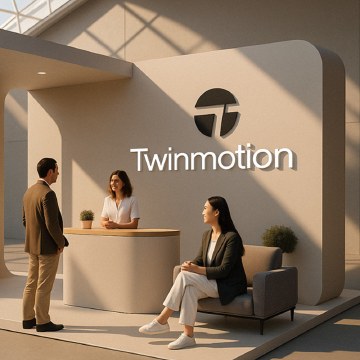
We prepare quick SketchUp models and Twinmotion visualisations for stand concepts, advertising systems, and presentation setups. The views help teams compare layout, proportion, graphic placement, and lighting direction before committing to the next design or production stage.
What should a quick visualisation answer?
A useful preview has a job. It can show whether a counter blocks an entrance, whether the headline is visible from an aisle, or whether a textile wall feels too heavy for the space. We start with the decision you need to make and choose the views that explain it.
SketchUp helps establish volumes and relationships. Twinmotion can add a clearer impression of materials, light, and atmosphere. The amount of detail follows the question: a rough layout review does not need the same treatment as an approved concept presentation.
How do we keep the model useful?
We work from supplied dimensions and identify assumptions. If the hardware or venue details are still uncertain, those parts remain provisional. Comparing two clear arrangements can be more helpful than polishing one unconfirmed option.
Camera position matters too. A dramatic view might hide the very circulation problem the team needs to see. We can include practical viewpoints from visitor eye level, overview angles, and selected detail views.
What happens after approval?
The agreed visual direction can feed into stand design and the technical pack. Images remain previews of the design intent. Real material colour, light output, structural behaviour, and the finished build must be confirmed through supplier specifications, samples, and production checks. That keeps the picture connected to the real dish.
What do you receive?
The final list belongs in the quote. Depending on your brief, the recipe can include:
- A simplified 3D model at the agreed level of detail
- Selected perspective views or Twinmotion render images
- Agreed layout or material comparisons for review
- Model or image handoff in the formats included in the quote
What should you send us?
- A floor plan, known dimensions, and available construction details
- Reference photos, graphic assets, and the decisions the views must support
- Required viewpoints, deadline, and any model file requirements
Missing an ingredient? Send what you have. We can help turn the unknowns into a workable brief.