Your question, our starting point
How do we make complex screens feel easier to use?
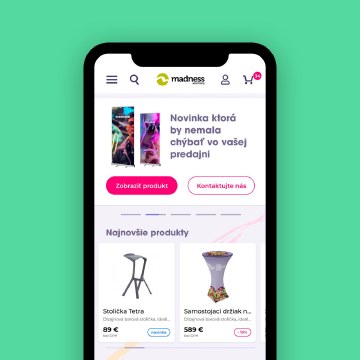
We design user interfaces for websites, e-commerce, and digital products by clarifying hierarchy, navigation, components, and interaction states. The agreed scope can cover key user flows, screen layouts, responsive behaviour, prototypes, and reusable interface rules for development.
Which task is the interface making difficult?
We start with the work someone needs to complete: choose a product, find information, compare options, fill a form, or manage a process. The layout should reveal the relevant actions and information at the right moment. Adding more decoration does not resolve an unclear flow.
Existing screens, support questions, analytics, and user feedback can show where the confusion begins. If those inputs are unavailable, we make assumptions explicit and identify the decisions that need validation.
How do components create consistency?
Buttons, fields, navigation, cards, tables, and feedback messages need shared rules. We design relevant states such as focus, error, loading, empty, and success where they belong in the agreed scope. Realistic content helps expose awkward lengths, missing information, and crowded layouts early.
Responsive behaviour and accessible design considerations belong in those rules. Clear labels, legible contrast, visible focus, and understandable feedback help the design become a more usable implementation.
What does the development team receive?
The handoff can include the screen set, component definitions, assets, interaction notes, and a prototype. We review technical constraints with the developers so the design reflects the actual platform. Research, testing, and specialist audits are scoped explicitly. For a presentation-led site or a focused enquiry page, web and landing page design may be the simpler starting recipe.
What do you receive?
The final list belongs in the quote. Depending on your brief, the recipe can include:
- Key flow and screen layouts for the agreed user tasks
- A reusable component set with relevant states
- Responsive interface designs and prototype coverage
- Handoff notes describing behaviour, assets, and agreed design rules
What should you send us?
- The product purpose, user tasks, and existing screens or flows
- Brand rules, content examples, data constraints, and technical platform
- Priority problems, available user feedback, development team, and schedule
Missing an ingredient? Send what you have. We can help turn the unknowns into a workable brief.