In brief
A landing page helps someone decide what to do next after arriving with a particular expectation. It should answer the right questions in the right order.

Common tools
- Figma
- Browser tools
- Adobe Photoshop
Skills in play
- Research
- Accessibility
- User testing
What it is
A landing page is a focused entry point for a specific audience and intent. Someone may arrive from a campaign, search result, QR code, or email. The page has to connect the promise that brought them there with enough information to make a confident next step. It can be short or long; length is a consequence of the decision, not a universal conversion formula.
This differs from a general website homepage. A homepage may serve many routes. A landing page usually gives one audience a clearer path while still allowing them to find essential context, privacy information, and help.
Match the arrival expectation
Identify the traffic source and the question a visitor is likely carrying. If an advertisement promises a specific service or offer, repeat that subject immediately rather than opening with a broad brand slogan. State what is available, who it is for, and the next action in language the visitor already understands.
List the evidence required before someone can act: price, scope, examples, process, delivery time, eligibility, guarantees, or contact details. Not every page needs all of these. A low-stakes newsletter sign-up needs less explanation than a complex purchase or consultation request. Organise the page around genuine objections, not around a predetermined number of sections.
Build a decision path
Start with a useful first screen
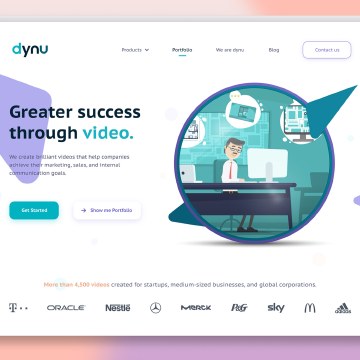
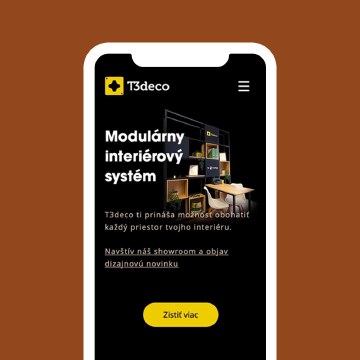
Use a specific headline, a short supporting explanation, and a visible action. The visual should clarify the offer rather than simply fill space. On mobile, check the first screen with real copy, browser controls, and the primary action present. Do not hide the proposition beneath a giant decorative image.
Follow with proof at the moment it is needed: work examples, product details, process steps, testimonials with context, or answers to common concerns. Use headings that help scanning. Give each repeated call to action a clear label and destination. If the page offers two routes, explain the difference instead of making two identical buttons compete.
Make the action trustworthy
Keep forms as short as the task allows. Label fields clearly, explain why sensitive information is requested, show errors beside the relevant field, and confirm what happens after submission. Test keyboard use, autofill, screen-reader labels, and narrow screens. A visually polished call to action cannot rescue a broken form.
Avoid artificial urgency and vague claims. If the page uses a time-limited offer, its terms and end date should be accurate. Include contact and organisational context where a visitor needs it to trust the decision.
Test in the real channel
Check message continuity from the actual ad or email through the page to the confirmation state. Measure meaningful outcomes, not only button clicks: qualified leads, completed requests, or a user’s ability to find the right information. Use qualitative testing to understand why people hesitate. A/B tests are useful when there is enough traffic and a clear hypothesis; they are not a substitute for basic clarity.
Optimise image weight and loading behaviour. A slow hero image can delay the first useful content on the very device the campaign targets. Test responsiveness, reading order, and performance on realistic connections.
Handoff and common mistake
Deliver page copy, component states, image crops, form behaviour, analytics events, and the relationship to each traffic source. Give the owner a plan for updating claims and proof.
The common mistake is designing a persuasive-looking page that does not answer the visitor’s real question. A strong landing page earns the action by making the decision easier and more informed.
People and practice