In brief
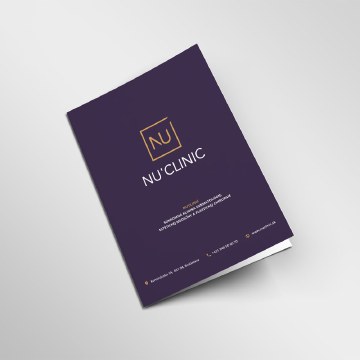
A brochure gives someone a useful explanation they can hold and return to. Its format and fold should support the message, not become the concept.

Common tools
- Adobe InDesign
- Adobe Illustrator
- Adobe Photoshop
Skills in play
- Typography
- Systems thinking
- Technical accuracy
What it is
Brochures and leaflets are compact, portable publications. They may introduce an organisation, explain a service, guide a visit, or help someone make a decision after an event. Their strength is the combination of a clear story and a physical object that can be kept, shared, and revisited. Their weakness is limited space: every unnecessary message competes with something the reader needs.
A leaflet may be a single flat sheet; a brochure may fold or bind into several panels. Neither format is inherently more professional. Choose the simplest form that lets the audience move through the content naturally.
Establish the reader’s next step
Define where the piece will be picked up, what the reader likely knows, and what they should be able to do afterward. A handout after a conversation has a different job from a leaflet discovered on a public counter. Write the one-sentence purpose before collecting every fact that the organisation wants to include.
Sort content into essential, supporting, and optional. Lead with the reader’s question or problem; follow with the offer, evidence, practical details, and action. Use descriptive headings so the piece works for someone who scans it out of order. Keep contact details, dates, prices, and eligibility information easy to find and update.
Design the reading sequence
Let the fold reveal information
Make a quick paper dummy at the intended size. Number the panels in the order a person encounters them, including the folded cover and back. A tri-fold panel can be narrower than its neighbour to fold correctly; confirm dimensions with the printer. Do not place a critical sentence across a fold or hide the main action inside the least-viewed panel.
Use a grid and a small family of text styles. The cover creates a reason to open the piece; inside pages do the explaining. Leave enough space around diagrams, captions, and practical instructions. A decorative layout that requires tiny type has not solved the content problem.
Design for actual conditions
Check type at printed size under ordinary light. Test contrast on the chosen paper, including uncoated stock that can soften colour. If the piece will be handled outdoors or repeatedly, consider durability and folds as part of usability. Translate and proof every language version in the final layout; translated text often changes length and hierarchy.
If a digital PDF version is needed, plan it as an accessible reading experience, not merely an image of the print spread. Consider page order, links, headings, text alternatives, and whether a responsive web page would better serve people reading on phones.
Production and review
Agree on stock, finish, quantity, trim, folds, bleed, and colour with the printer before final artwork. Proof a full-size dummy and a production sample where possible. Check panel order, spelling, QR or URL destination, crop, fold registration, and whether the final contact details are current. A print-ready file can still be an out-of-date communication.
Deliver editable source files, approved copy, linked assets, printer specification, and an owner for future revisions. Record the version and publication date discreetly when the information may change.
Common mistake
Starting with a fashionable fold and forcing the content into it. The best format makes the reader’s path effortless. If the story needs more space, simplify the message or choose a different form instead of shrinking the type.
People and practice