In brief
A catalogue turns many items into a usable system. Its design helps readers find, compare, understand, and return to the right thing.

Common tools
- Adobe InDesign
- Spreadsheet
- Adobe Photoshop
Skills in play
- Systems thinking
- Typography
- Technical accuracy
What it is
A catalogue is a designed route through a collection: products, artworks, services, archive records, or ideas. It may be a printed object, a downloadable publication, or a digital interface. Unlike a brochure, it often has to hold many entries of unequal complexity while letting readers locate and compare them reliably.
Successful catalogue design balances two modes of reading. A visitor may browse for inspiration, then switch to precise lookup for a specification, price, date, or reference number. A beautiful sequence that blocks lookup is incomplete; a dense spreadsheet in page form is equally hard to use.
Design the structure before the pages
Inventory the collection and its data. Decide which fields are required, which can be empty, and which need verification. Group entries by a logic readers understand: category, use, chronology, location, or another stable relationship. Internal department structure may not be the best navigation for an external audience.
Sketch the entry points before placing imagery: contents, category openers, tabs, page labels, indexes, search terms, and cross-references. Test a few realistic questions. Can someone find a known item? Compare two similar items? Discover an adjacent category? Return to an item after closing the book or PDF?
Build a flexible page system
Define page types
Create a small family of pages: opening, overview, standard item, complex item, comparison, and reference. The standard page should carry most entries without heroic art direction. Reserve large-image or narrative spreads for moments where they genuinely help understanding. This prevents the whole publication from becoming a sequence of exceptions.
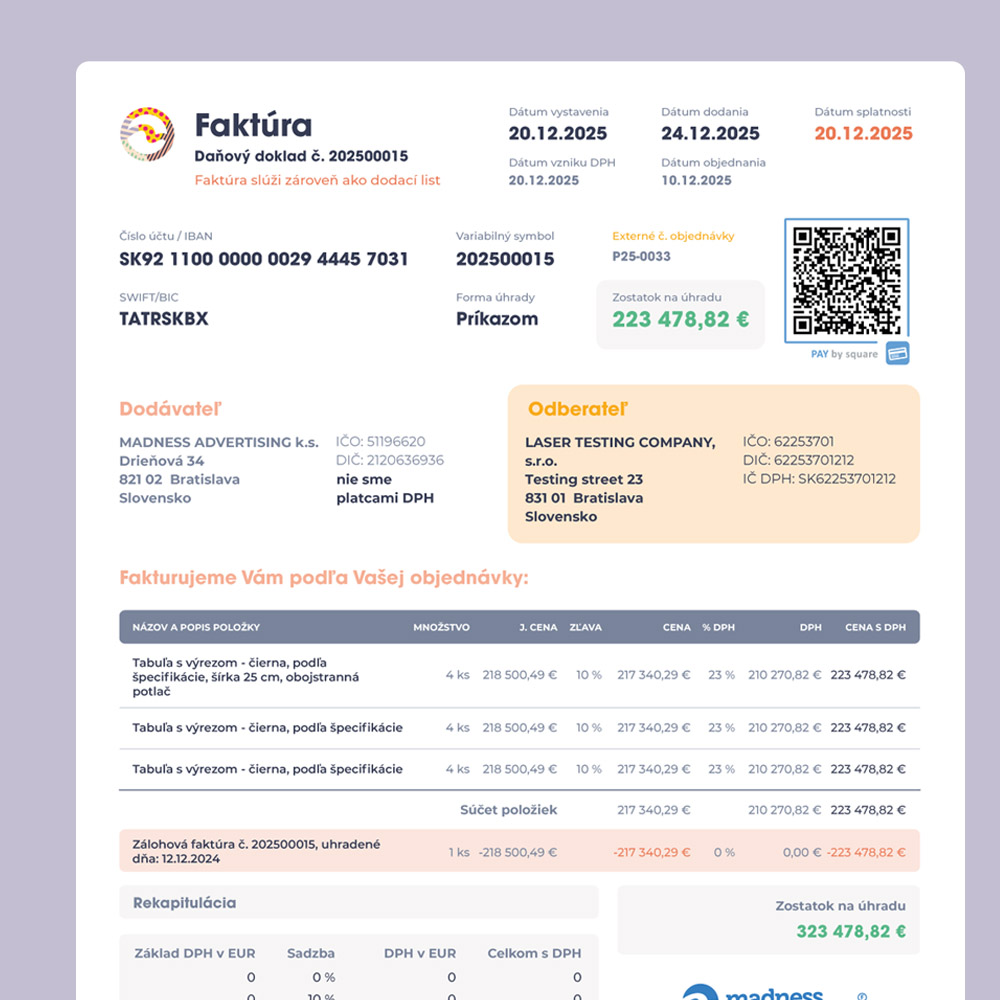
Set rules for image ratio, caption, item name, identifier, attributes, and calls to action. A consistent order makes scanning fast. Vary scale deliberately to create rhythm, but keep the metadata in predictable positions. Test the longest and shortest names and the least attractive imagery early; they expose weak templates faster than perfect sample content.
Connect content and production
Store source text and item data in a structured, owned file or system rather than repeatedly typing it into layouts. Use paragraph and object styles; automate repeated fields when the workflow justifies it. Automation reduces manual re-entry, not editorial responsibility. Someone still needs to check units, captions, category assignment, missing photos, and final proofs.
For print, plan trim, margins, binding, colour, and image quality with the printer. For digital delivery, preserve meaningful headings, reading order, links, and searchable text. A visual export alone does not make a PDF easy to use. If the catalogue will change frequently, design an update process and version label from the start.
Test with the actual collection
Prototype a representative section, not just an elegant cover and first spread. Include a dense category, a sparse category, a long technical entry, and an item with missing data. Print sample pages at actual size. Ask someone unfamiliar with the structure to complete lookup and comparison tasks while you observe where they hesitate.
Before release, reconcile the publication against the approved item list. Check repeated identifiers, cross-references, indexes, page numbers, links, units, and image-to-item matches. A catalogue earns trust through these details, especially when it supports purchasing, collecting, or technical decisions.
Handoff that survives updates
Deliver templates, styles, source-data schema, image naming rules, export settings, and a short update checklist. State who owns item facts and who owns layout decisions. Document exceptions rather than silently burying them in one-off page overrides. The best system lets the next edition improve without rebuilding the publication.
Common mistake
Designing every spread as a unique advertisement. It may look energetic in a presentation but slows comparison and makes updates expensive. Give the collection a dependable grammar, then spend visual energy where it changes what the reader understands.
People and practice