In brief
Event graphics give a temporary place a usable identity. They must guide people confidently while schedules, rooms, and audiences change.

Common tools
- Adobe Illustrator
- Adobe InDesign
- Figma
Skills in play
- Spatial reasoning
- Systems thinking
- Accessibility
What it is
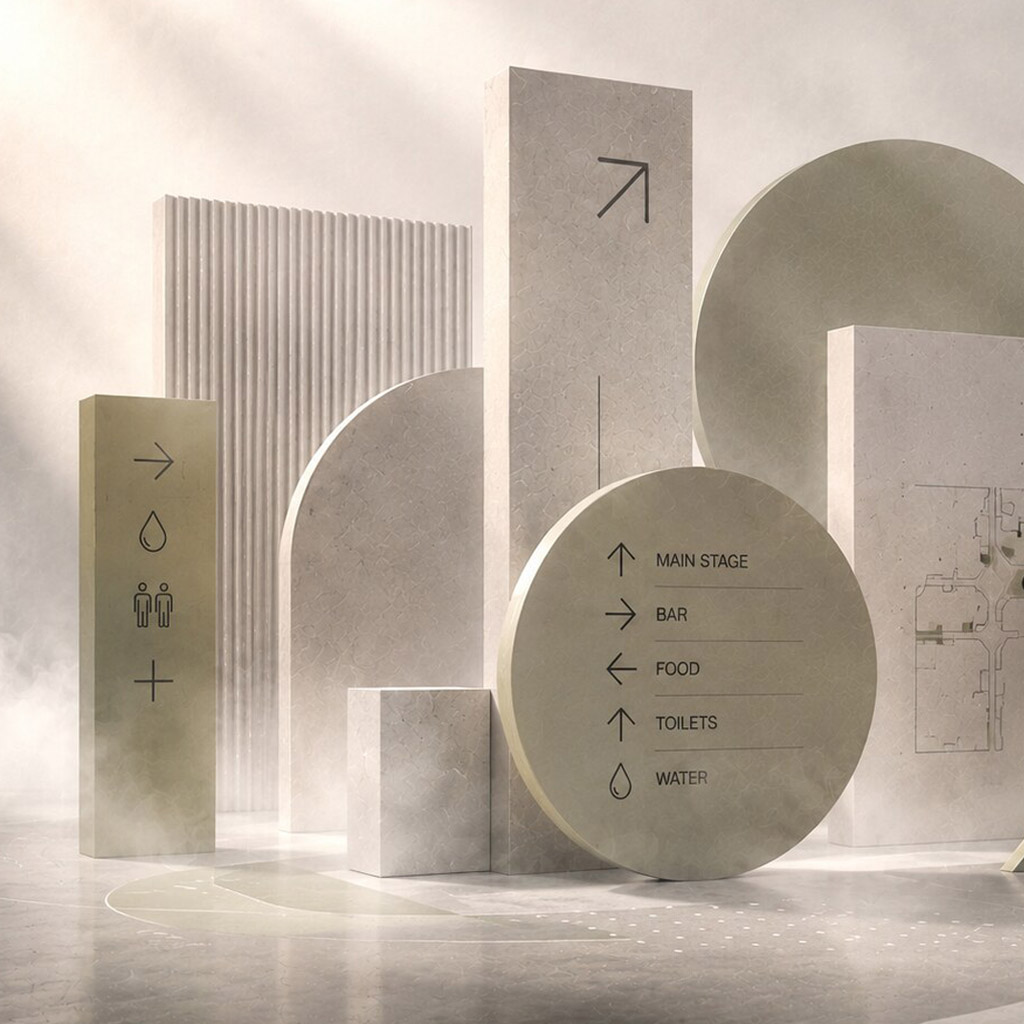
Event and conference graphics turn an unfamiliar temporary venue into a place people can navigate and understand. The system may include invitations, registration, badges, maps, room signs, stage backdrops, presentation templates, live screens, social assets, and post-event material. Its job is both expressive and practical: establish a memorable atmosphere while helping people arrive, find a session, follow changes, and leave safely.
An event is unusually sensitive to time. A beautiful sign placed after a decision point is too late; a schedule that cannot be updated becomes wrong the moment a room changes. Plan for change as a normal design condition.
Map journeys and decision points
Walk from transport or parking to entry, registration, cloakroom, session rooms, facilities, and exit. Include people arriving late, speakers carrying equipment, and attendees who need step-free routes or quiet spaces. Mark where they must decide, not merely where there is an empty wall for a sign.
Separate identity from orientation. Colour and large-scale imagery can set the event tone, but directions need stable terminology, readable contrast, and consistent arrows. Give rooms and tracks names that match the booking system, printed programme, app, and door signs. A coherent graphic world cannot compensate for inconsistent information.
Build a flexible event kit
Define levels of information
Create a hierarchy for event name, track, session, speaker, room, time, and action. Test it on a badge, a large stage screen, a narrow mobile schedule, and a corridor sign. People may see only one of these. Each touchpoint should answer its local question without requiring them to remember the whole system.
Prepare templates for recurring updates: directional sign, room change, schedule panel, name badge, slide deck, and lower-third graphic. Specify type sizes, colour use, image placement, and safe areas in ways suppliers can apply. Avoid a system that needs the original designer to rebuild every late change.
Coordinate physical and digital surfaces
Work from venue drawings, but verify on site. Lighting, queues, temporary partitions, and competing advertising can hide information. Check material durability, mounting permissions, cable routes, and sightlines with operations and fabricators. If a screen fails, essential information should still be available through staff or static signage.
Presentation templates need accessible contrast and room for captions or interpretation where relevant. Provide speakers with a realistic example rather than a blank branded slide. Review stage graphics on camera as well as in the room; a backdrop can become unreadable behind a speaker or cropped in a stream.
Test and operate the system
Run a short wayfinding test with someone who does not know the venue. Ask them to find a room and return to the entrance without assistance. During the event, assign an owner for schedule changes, corrections, and temporary notices. Define a fast approval path that preserves accuracy without letting improvised signs spread everywhere.
The handoff should include a sign-location schedule, production files, templates, naming rules, update contacts, installation plan, and removal plan. Capture problems during the event to improve the next edition.
Common mistake
Treating graphics as decoration ordered after the floor plan is fixed. Event communication is part of the operating system of the place; it needs to be planned with journeys, schedules, and people in mind from the start.
People and practice