In brief
An exhibition stand is a temporary branded environment. It must help people notice, enter, understand, and engage with an offer while remaining practical to build, staff, and maintain.

Common tools
- SketchUp
- Adobe Illustrator
- Adobe Photoshop
Skills in play
- Spatial reasoning
- Systems thinking
- Technical accuracy
What it is
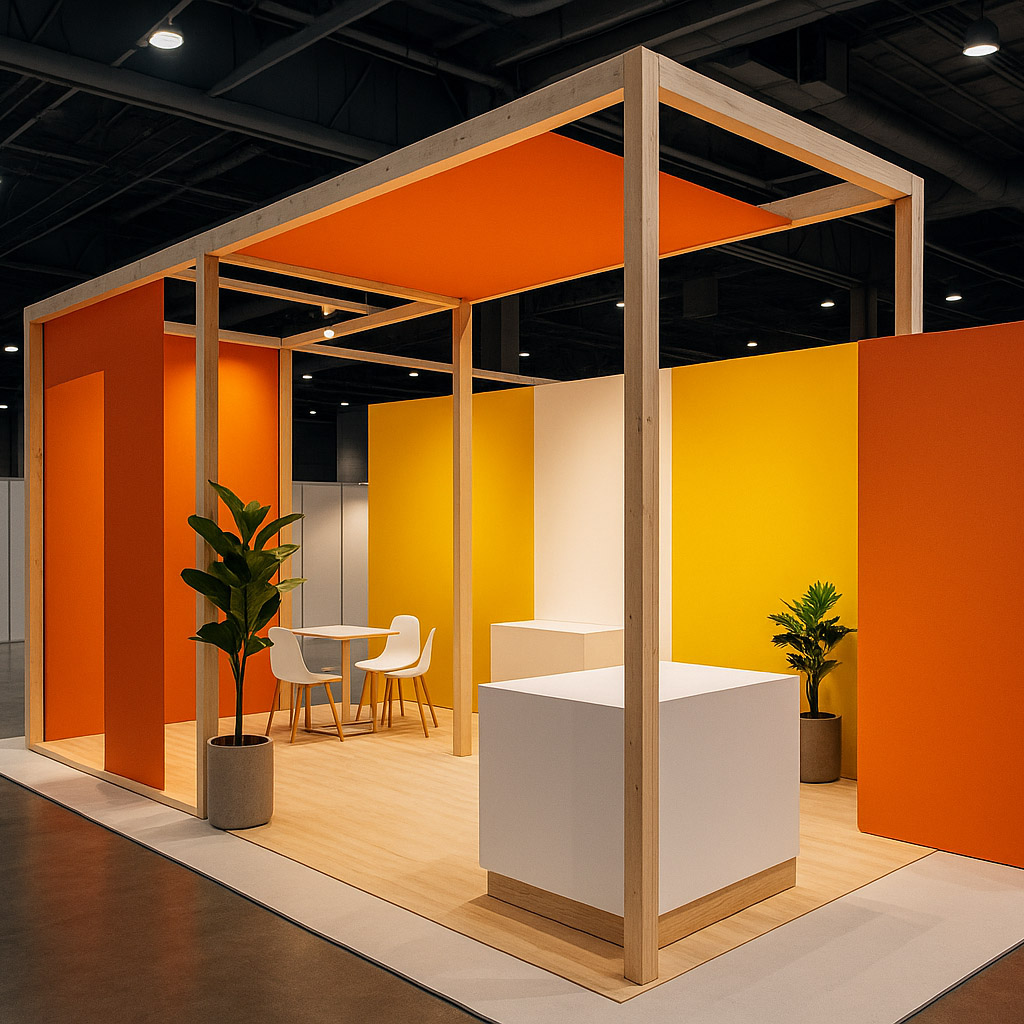
An exhibition stand is both communication and space. It has to work from the aisle, at the threshold, and during a conversation. People may pass in seconds, approach with a specific question, or spend several minutes in a demonstration. The design must support these different depths of attention without turning the stand into a wall of messages.
Unlike a static advert, the stand is occupied and operated. Staff behaviour, sight lines, storage, lighting, accessibility, and the quality of a demonstration all affect the visitor experience. A strong visual concept is valuable only if it survives those practical conditions.
Start with the visitor journey
Clarify why the organisation is exhibiting. Is the goal to launch a product, arrange meetings, teach a process, collect qualified enquiries, or deepen relationships? List the audiences and what each needs to understand before speaking to anyone. Decide what a visitor should see from a distance, what draws them in, and where the conversation can continue.
Map a simple sequence: notice, approach, orient, engage, and leave with a next step. Sketch the stand from actual aisle approaches rather than a perfect front-on rendering. Consider where visitors naturally slow down and where they block circulation. Wayfinding principles apply even inside a small booth: people need cues about entry, destination, and exit.
Shape the space and message
Create clear zones
Identify the roles of display, demonstration, conversation, storage, and circulation. A small footprint cannot do everything equally well. Open access may be more useful than one more wall; a quiet table may matter more than a large screen. Keep routes and interaction points usable for people with different mobility, reach, and sensory needs.
Treat the stand as a human-scale composition. Objects, staff, products, and visitors will interrupt the pristine view shown in a render. Leave room for that activity and ensure the main proposition remains visible when the space is busy.
Establish viewing hierarchy
At aisle distance, communicate the organisation and one clear reason to stop. At closer range, explain the offer, evidence, or demonstration. Save detailed specifications for a handout, screen interaction, or conversation. Text size should follow viewing distance and lighting, not a desktop mock-up. Avoid placing essential information behind furniture or where staff will routinely stand.
Use lighting to reveal products and help people understand where to look. Test materials under the venue’s conditions; glossy surfaces, backlit graphics, and small type may behave differently than expected. Design around the allowed structure, rigging, power, and venue rules confirmed by the organiser and contractor.
Prototype the operating day
Walk through a typical hour: visitors arrive from two directions, staff greet someone, a product demo begins, a queue forms, and an item needs to be stored. Where does each action happen? A 3D model is useful, but a taped floor plan and a small physical mock-up can expose awkward distances faster.
Review the stand with the people who will run it. Ask what they need at hand, what questions visitors usually ask, and which moments require privacy or quiet. Test key graphics from the intended sightline. When possible, rehearse the demonstration with real equipment before fabrication is final.
Prepare for build and reuse
Create a production pack with dimensions, artwork specifications, materials, finishes, lighting intent, power needs, installation order, and named approvals. Coordinate with the contractor early; a beautiful render is not a construction document. Check venue-specific safety and accessibility requirements with the responsible teams rather than assuming one event’s rules apply everywhere.
Plan dismantling and storage. Modular graphics and reusable structures can make future changes easier, but only when replacements are documented and practical to transport. After the event, review where visitors stopped, what they asked, and what staff had to improvise. That evidence should shape the next stand.
Common mistake
Filling every surface with claims. Visitors first need a clear invitation and a place to engage. A stand that leaves room for movement and conversation can communicate more effectively than one that tries to become a giant brochure.
People and practice